Two graphics cards
Got a second graphics card? Let it generate the frames, so your main card keeps all its power for the game.
How it works
The game renders on your main card. Each finished frame is copied into system memory that both cards can read; the second card generates the in-between frames and sends them back for display. The main card only does the copies, so it keeps its power for the game. Dual-GPU adds about one frame of latency.
Measured in Space Engineers 2 at 1920×1080 with every setting maxed, with a Radeon RX 7700 XT for the game and an RX 6700 XT for frame generation: 35 to 60 game fps shown at up to about 110 fps, with frame generation using 25 to 55% of the second card. In Meecha Chameleon (same settings, 50 game fps shown at a steady 100 fps on a 100 Hz screen), frame generation used about 20% of the second card.
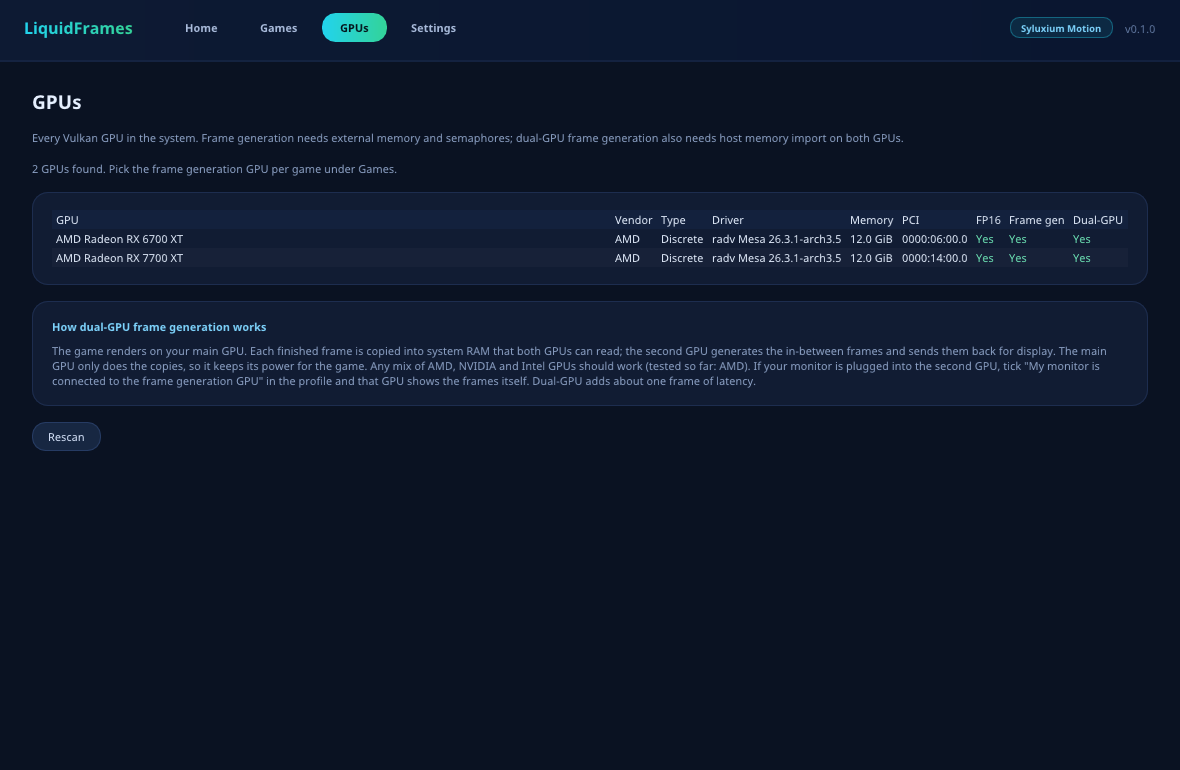
Check your cards
The GPUs page lists every Vulkan graphics card in the system, with whether it supports frame generation and dual-GPU. The Home page says Dual-GPU ready when your setup can do it. From a terminal: liquidframes-cli gpus.
Mixing AMD, NVIDIA and Intel cards should work too. Tried a mix? Please share how it went on the forum.
Set it up
- Open the game's profile (or Default) on the Games page.
- Set Frame gen GPU to your second card.
- Is your monitor plugged into that second card? Tick My monitor is connected to the frame generation GPU. Then that card shows the frames itself, and nothing goes back over PCIe.
- Unhook and hook the game again (or restart it if you use the launch option).
Native Wayland games: showing the picture from the frame generation card is opt-in for them. Proton games run through XWayland and aren't affected.